In August, the bank balance looks fine. By November the summer crowds are gone, a sales tax prepayment is due, and two of your best customers still haven't paid. That squeeze rarely comes out of nowhere. In our experience, it shows up in last month's reports weeks before it reaches the bank account.
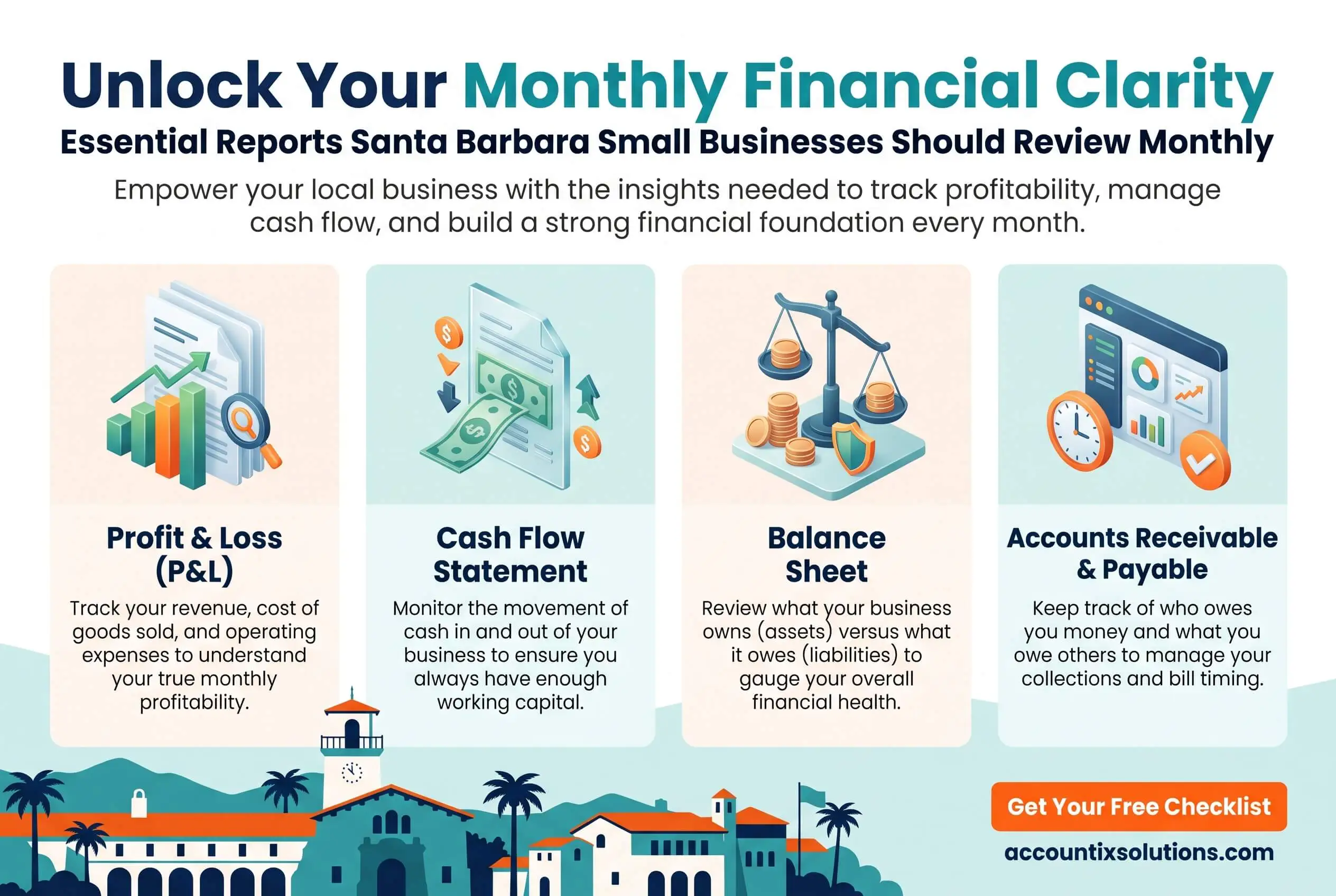
Santa Barbara small businesses should review five core reports every month: the profit and loss statement, balance sheet, cash flow statement, accounts receivable aging, and accounts payable aging. Add a bank reconciliation and a budget vs actual report so every decision starts from clean numbers.
Here, the timing matters more than in most towns. Revenue climbs with visitor season and wine country weekends, then falls off, while California's tax deadlines stay put. And any report is only as reliable as the bookkeeping behind it. Below, we cover what each report tells you, the warning sign we look for first, and the decision it should lead to.
TL;DR Quick Answers
Santa Barbara Bookkeeper
A Santa Barbara bookkeeper keeps your books accurate and closes them on a fixed monthly schedule, so you get clean reports you can act on. The right one knows the local rhythm, from busy summers and slower fall months to California's sales tax deadlines.
What a good Santa Barbara bookkeeper handles each month:
Bank and credit card reconciliations
A month-end close that delivers your P&L, balance sheet, and cash flow statement
Accounts payable and receivable tracking
Sales tax and Transient Occupancy Tax set-asides, timed to CDTFA and city deadlines
Payroll support
When to hire one: Your books close after mid-month, the numbers don't match the bank, or you've added staff or a second revenue stream.
What it costs: Accountix bookkeeping starts at $200 per week, scoped after a 30-minute intro call.
Quick test: If last month's books aren't closed by the 15th, start there.
Top Takeaways
Review the P&L, balance sheet, cash flow statement, and both aging reports every month, and reconcile first so you're reading accurate numbers.
Measure each month against the same month last year. In a seasonal town, last month is the wrong yardstick.
Set sales tax and bed tax aside as you collect them, timed to your CDTFA filing frequency and the city's monthly TOT deadline.
If your close keeps slipping past mid-month, give it a fixed date and a clear owner before adding any new reports.
Why Monthly Reviews Matter More for Santa Barbara Businesses
A strong July can hide a weak October. Hotel stays and event weekends lift summer sales, and the quieter months that follow still bring rent and payroll on the usual schedule. If you look at your numbers once a quarter, you learn about a cash squeeze after you're already in it.
Taxes run on their own clock. California assigns each seller a sales tax filing frequency, and plenty of local shops, restaurants, and product brands file or prepay monthly. When nobody tracks what's been collected, that money tends to get spent on something else.
A monthly review gives you time to adjust before either problem lands.
The Five Core Monthly Financial Reports
Between them, these five reports show whether you made money and where the cash went. They help only when they arrive on time and match the bank. If yours show up late or don't reconcile, working with a Santa Barbara bookkeeper who closes the books on a fixed schedule usually fixes both problems.
Profit and Loss Statement
A profit and loss statement (P&L) shows revenue, expenses, and net profit for the month. We always compare it to the same month last year, because last month is a poor benchmark in a seasonal town. The year-over-year view tells you whether the business is growing or just riding the calendar.
Red flag: Sales are up while your margin keeps shrinking. That usually means costs or discounts are eating the gain.
Balance Sheet
A balance sheet shows what the business owns and owes on a single date. Read it month over month, paying closest attention to cash and to what's sitting on credit cards and loans.
Watch for: Liabilities climbing faster than cash, which can mean you're funding operations with debt without meaning to.
Cash Flow Statement
A cash flow statement tracks where cash came from and where it went. It's the report that explains why a profitable month can still leave the account thin. Profit counts the invoices you've sent, while cash counts only the money you've received.
Red flag: Operating cash flow that stays negative two months in a row.
Accounts Receivable Aging
An accounts receivable (AR) aging report lists who owes you money and how long each invoice has been open, usually grouped in 30-day buckets. Old invoices get harder to collect with every month they sit.
Watch for: Balances drifting past 60 days.
Accounts Payable Aging
An accounts payable (AP) aging report shows what you owe vendors and when each bill is due. Use it to time payments around the cash you have, rather than paying whatever lands in the inbox first.
Red flag: Late fees start appearing, or a vendor asks you to pay up front.
Two Reports That Keep the Others Honest
Bank and Credit Card Reconciliation
A reconciliation matches your books to your bank and card statements, line by line. Skip it, and every other report on this list becomes an estimate.
Budget vs Actual
A budget vs actual report compares planned spending with what you spent in each category. Small overruns spread across a dozen lines add up faster than one big miss, and this is the report that shows them.
Monthly Reports at a Glance
Profit and loss: Shows revenue, expenses, and profit. Red flag: margin shrinks as sales rise. Decision: adjust pricing or cut costs.
Balance sheet: Shows assets and liabilities on one date. Red flag: debt grows faster than cash. Decision: slow borrowing and building reserves.
Cash flow statement: Shows where cash came from and went. Red flag: negative operating cash two or more months running. Decision: tighten spending and speed up collections.
AR aging: Shows unpaid customer invoices by age. Red flag: balances past 60 days. Decision: follow up or change payment terms.
AP aging: Shows bills owed by due date. Red flag: late fees or prepay demands. Decision: reschedule payments.
Reconciliation: Compare your books to the bank, line by line. Red flag: unexplained differences. Decision: fix entries before reviewing anything else.
Budget vs actual: Compares planned spending with real spending. Red flag: several lines over budget. Decision: reset the budget or rein in spending.
Extra Reports Based on Your Santa Barbara Business Type
The core five apply to nearly everyone. Depending on what you run, add one or two of these:
Retail shops and restaurants: A sales tax liability report tied to your filing frequency, plus cost of goods or food cost. Chefs price dishes plate by plate, and the same costing logic works for any product business.
Inns, boutique hotels, and short-term rentals: Transient Occupancy Tax collected vs remitted, along with monthly occupancy and revenue per available room.
Wineries and product brands: Inventory valuation and aging, so slow-moving stock doesn't tie up cash.
Nonprofits: Restricted vs unrestricted funds and spending by grant.
Any business with employees: A payroll summary. If you're new to running payroll, start with how to log in and run payroll in ADP RUN.
How to Run a 60-Minute Monthly Financial Review
Pick a fixed date, such as the 15th, once the prior month's books are closed. Then follow the same order every time:
Confirm last month is closed and every bank and card account is reconciled.
Read the P&L from the same month last year.
Scan the balance sheet for changes in cash and debt.
Review the cash flow statement and look 90 days ahead.
Work the AR aging report and assign follow-ups.
Check AP aging and schedule upcoming payments.
Write down the two or three decisions you'll act on before next month.
An hour is plenty when the numbers arrive clean. What we see most often is owners spending their finance time fixing the books instead of reading them.
Who Should Prepare Your Monthly Reports? DIY, In-House, or a Santa Barbara Bookkeeper
You can run the reports yourself in QuickBooks, hire someone in-house, or bring in an outside bookkeeper or accounting team.
Doing it yourself works early on, when you have one revenue stream and a modest number of transactions. You've probably outgrown it once the close drifts past mid-month or the numbers stop matching the bank. Another sign is simpler: you never get around to reading the reports at all. At that stage, a Santa Barbara bookkeeper or outside team usually costs less than the hours and mistakes it replaces. If you're weighing a single remote hire against a firm, here's a clear breakdown of the difference between virtual and outsourced accounting.
We think of the options as steps on a ladder. Bookkeeping keeps your history accurate. Outsourced accounting adds a dependable monthly close and internal controls, and a fractional CFO brings forecasting and strategy once you need to plan ahead rather than look back.
"The report owners skip is usually the one that would have warned them. With Santa Barbara businesses, that's most often receivables aging or the cash flow statement. A winery or an inn can post its best P&L of the year in August and still scramble to cover payroll in November, because nobody set summer cash aside for the slow months. So when we sit down with a new client, we don't open with profit. We start with where the cash went and who still owes them money."
7 Essential Resources
Use these to set up a monthly review that holds up and to keep your filing dates straight.
SBA: Manage Your Business: The Small Business Administration's finance basics, including accrual vs cash accounting and the jobs someone in your business has to own, from receivables and payables to bank reconciliation and payroll.
IRS: Recordkeeping: Which records to keep, how long to hold them, and how they feed your financial statements.
CDTFA: Filing Dates for Sales & Use Tax Returns: Due dates by filing frequency, so you know which month your sales tax set-aside needs to be ready.
CDTFA: Return Prepayments: Who has to prepay California sales tax during the quarter, and the penalty for missing a payment.
City of Santa Barbara: Transient Occupancy Tax: For hotels, inns, and short-term rentals that collect the city's 12% bed tax and remit it by the 15th of each month.
SCORE: Balance Sheet Template: A free template that doubles as a quick check on the balance sheet you get now.
Women's Economic Ventures: A Santa Barbara nonprofit offering small business classes and one-on-one bookkeeping consulting across Santa Barbara and Ventura Counties.
Reliable Santa Barbara bookkeeping services help small businesses maintain accurate financial records, manage monthly reconciliations, and stay organized with California tax filing deadlines. Resources from the SBA, IRS, CDTFA, SCORE, and Women's Economic Ventures provide valuable guidance on financial reporting, recordkeeping, sales tax obligations, and bookkeeping best practices. With consistent bookkeeping and access to trusted local resources, business owners can improve financial accuracy, maintain compliance, and make informed decisions for long-term growth.
3 Statistics
$1.4 billion is what visitors spent at Santa Barbara area businesses at last count, supporting 8,122 jobs, according to Visit Santa Barbara data reported by the Santa Barbara News-Press. A big share of local revenue depends on visitors, and visitors don't arrive evenly across the year.
About 73% of city hotel rooms were occupied in May 2026, at average daily rates just over $312. The city's finance director told KEYT that both figures tend to rise in June and July, which also means they fall back once summer ends.
A 6% penalty, calculated on 90% of the tax liability, can apply to each required California sales tax prepayment you miss, per the CDTFA. It's a costly way to discover the cash was already spent.
When revenue moves with the seasons and tax deadlines don't, a monthly look at your reports through remote outsourced QuickBooks bookkeeping services is how you make sure there's enough cash for both.
Final Thoughts and Opinion
Checking your bank balance every morning feels like staying on top of things. It tells you what's in the account today, though. It won't tell you what customers owe or whether last month made money.
For Santa Barbara businesses, we recommend reading the reports in a set order. Start with cash flow, since seasonal swings hit cash first. Move to receivables, because that's money you've already earned. Read the P&L last, and always against the same month a year ago, so a great summer can't hide a thin fall.
There's a practical payoff, too. Lenders ask for these same statements, and they weigh capital and capacity before extending credit. Owners who review monthly walk into that meeting ready. Owners who don't often lose a week rebuilding the books first.

Frequently Asked Questions
What are the three most important financial reports for a small business?
The profit and loss statement, the balance sheet, and the cash flow statement. The P&L tells you whether you made money. The balance sheet shows what you own and owe, and the cash flow statement shows where the money went. Read together, they give you the full picture of the month.
What is the difference between a profit and loss statement and a cash flow statement?
A P&L records revenue when you earn it and expenses when you incur them, even if no money has moved yet. A cash flow statement tracks only the money that came in or went out. That gap is why a business can show a profit and still run short on cash, especially when customers pay slowly.
When should monthly financial reports be ready?
Aim to have the prior month closed and reconciled by about the 15th. That leaves you two weeks to act on what you find. Reports that routinely land later than that are stale by the time you read them.
Do I need monthly reports if I only file taxes once a year?
Yes. A tax return looks backward, and by the time you file, it's too late to fix a cash problem or a pricing mistake. Monthly reports also keep your books ready for sales tax filings and lender requests, so year-end becomes a quick handoff instead of a cleanup project.
How do seasonal swings in Santa Barbara change what I should watch?
Compare each month to the same month last year rather than the month before. Keep a close eye on cash flow heading into fall and winter, and set aside summer revenue for the slower stretch. If you run a hotel or a shop, track sales tax and occupancy tax collected so the peak-season bill is covered when it comes due.
When should a Santa Barbara small business hire a bookkeeper?
Once the books start closing late or stop matching the bank, it's time. Most owners, including those running a school consultant business, reach that point after adding staff or a second revenue stream. A Santa Barbara bookkeeper who knows local filing rules and the seasonal pattern can put you on a reliable monthly close, so you lead with clarity instead of guesswork.
Get Monthly Reports You Can Actually Use
If your reports arrive late or never get read, it's worth a fresh look at how your books close. Accountix offers a 30-minute intro call to walk through your current setup and talk about whether bookkeeping, outsourced accounting, or fractional CFO support fits where your Santa Barbara business is today. No sales pitch. Just clarity.